
Frequently Asked Questions (FAQs)
General
Exostellar has an algorithm to predict Amazon EC2 Spot Instance terminations in advance, enabling proactive migration before actual termination occurs. In the worst-case scenario, where AWS provides only a two-minute warning, Exostellar quickly and automatically initiates the migration process. Smaller-sized instances typically migrate faster and often have better EC2 Spot availability. Exostellar recommends using these selected instance types and ensures on-demand reliability with them.
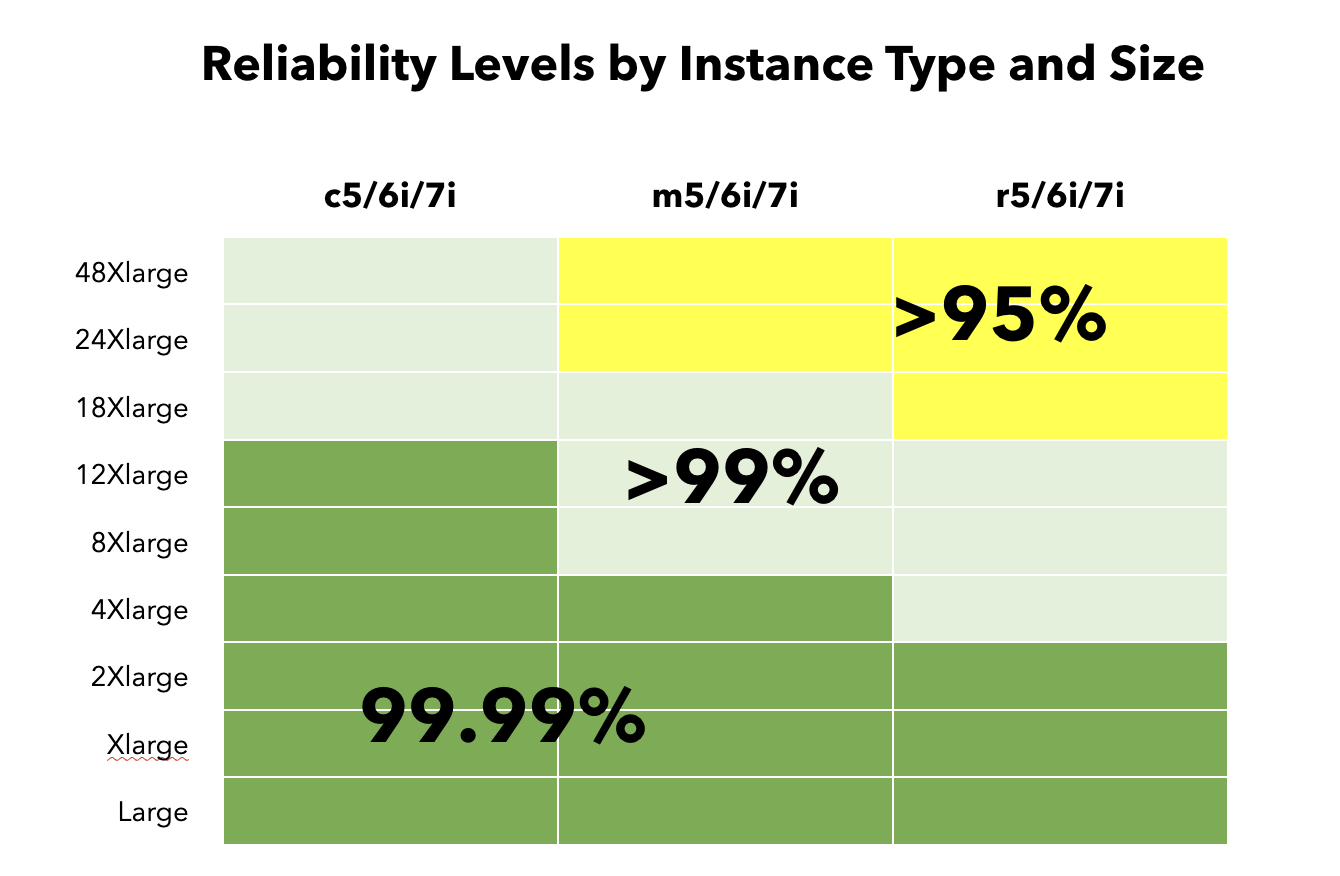
Exostellar recommends selecting a diversification of instance types to maximize the likelihood of finding EC2 Spot instance availability within the region. The scheduler dynamically searches for Spot availability across related instance types you identified. If no EC2 Spot instance types are available for those types, the system will automatically and safely migrate your workloads back to diverse on-demand instances, ensuring no disruption to your operations.
Based on existing tests performed on HPC workloads, the latency is minimal compared with AWS native EC2 Instances. However, performance can vary depending on the specific application. On average, the performance overhead is very small, and in some cases, workloads run even faster.
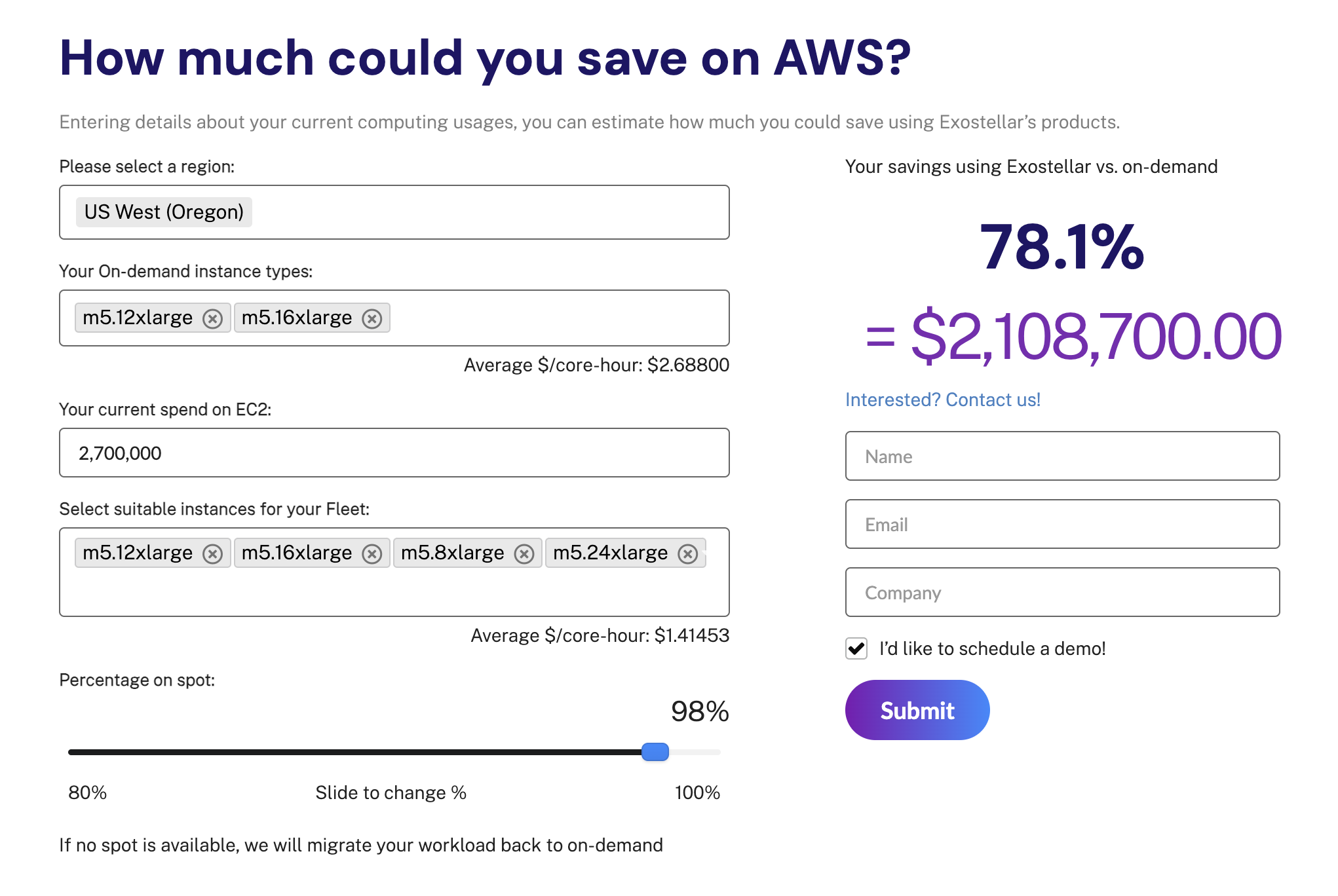
The exact savings depend on several factors, including your actual cloud usage, chosen region, selected instance types, and EC2 Spot availability. Exostellar provides a savings estimation tool on our website's homepage, which helps you calculate potential savings based on your specific setup. You can try it out here: https://exostellar.io/ .
Troubleshooting
For diagnosing issues related to the Exostellar Management Server, you will primarily rely on the following log locations:
/var/log/messages/var/log/munge/munged/var/log/slurm/home/slurm
For any debugging relating to the Exostellar Controller and the Worker, the logs can be found at:
/xcompute/slurm/bin/xcompute-daemon/data/xcompute/logsWithin this directory you will find the
messagesdirectory and anxspotdirectory. Thisxspotdirectory will contain X-Spot specific logs, in addition to logs for the jobs and workers spawned by that controller.
For any debugging relating to Exokarpenter, the logs can be found at the following pods:
Pods with the prefix
karpenter-exo-in namespaceexokarpenterPods with the prefix
exo-node-controller-in the namespaceexokarpenter
If you need help troubleshooting, please use the following command to pack all logs on the Exostellar Management Server and upload the file with your support request here:
tar -czvf exostellar-logs-$(date +%Y-%m-%d).tar.gz /var/log/messages /var/log/munge /var/log/slurm /home/slurm /xcompute/logs /xcompute/slurm/bin/xcompute-daemon/data
Open Source Software Notices
This product includes software components licensed under the GNU General Public License, Version 2.0 (GPL v2). The complete machine-readable corresponding source code for the modified Linux kernel used in this product is available upon request.
Written Offer for Source Code
We hereby offer to provide any third party with a complete machine-readable copy of the corresponding source code for the GPL v2 components, on a medium customarily used for software interchange (e.g., USB drive), for a charge no more than our cost of physically performing source distribution (e.g., cost of the USB drive and postage).
This offer is valid for a period of three (3) years from the date you received this product.
To request the source code, please send a written request with your name, company name (if applicable), return mailing address, and email to:
EXOSTELLAR INC
2350 Mission Col Blvd Ste 1250
Santa Clara, CA 95054
support@exostellar.io